Mass Production Order Output
The Output Journal has a function called Generate Lines from Prod. Orders that can be used to pull in a specific Work Center and post mass outputs against Released Production Orders. This is faster than going one Production Order at a time to record output.

In order to output into Inventory – you must output against the final Work Center on the Routing. Otherwise, the system will keep the items as work-in-progress.
How to: Mass output against Released Production Orders
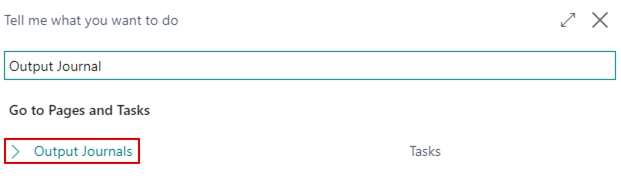
Click the magnifying glass, search for Output Journal, and select the related link:
On the menu, go to Actions/Generate Lines from Prod. Orders:

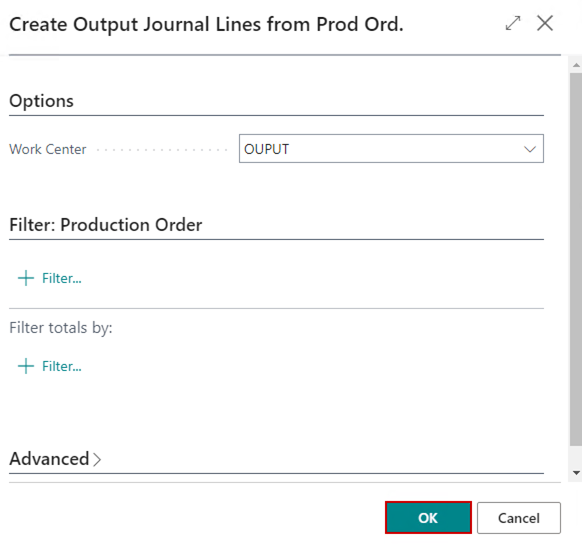
Select the Work Center to output against:
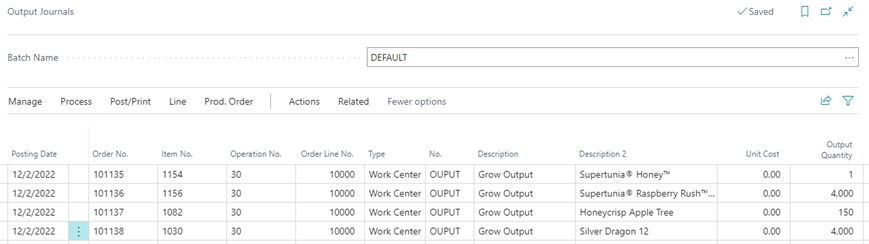
The system will pull in all lines for released production Orders with the remaining quantity to be output against the Work Center. Adjust the Output Quantity as needed:
On the menu, go to Post/Print and choose the Post option to post the output against the production orders.
